Modes
Overview
The Gesture Control System supports multiple operational modes to adapt to different use cases, environments, and user preferences. Each mode configures the system's behavior, sensitivity, and available gestures.
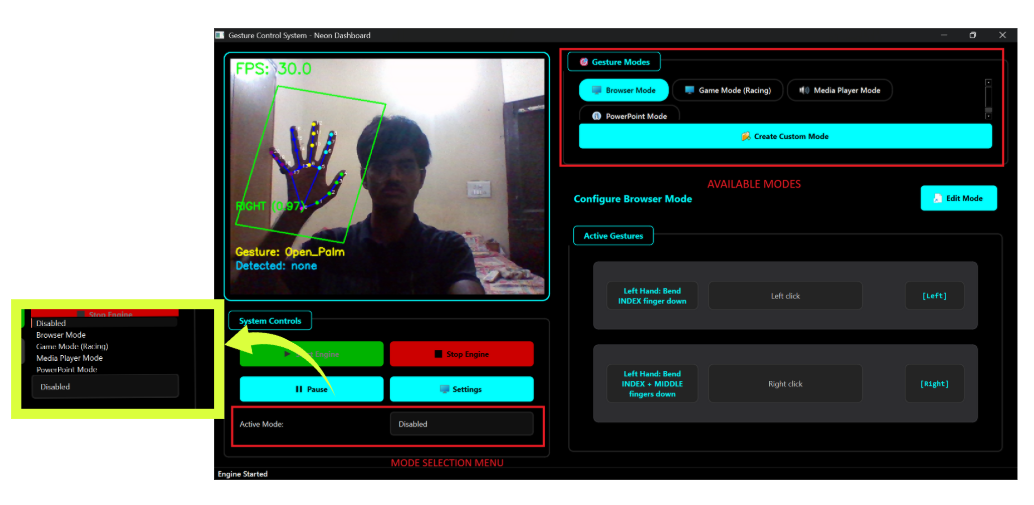
Mode Types
Browser Mode
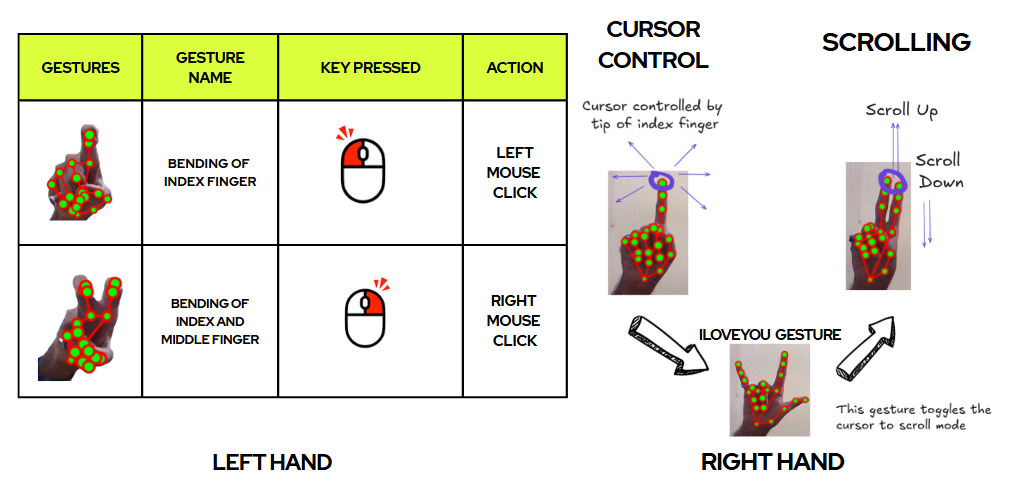
- Cursor control with Open Palm
- Pinch to click/drag
- Two-finger scroll gesture for vertical scrolling
Media Player Mode
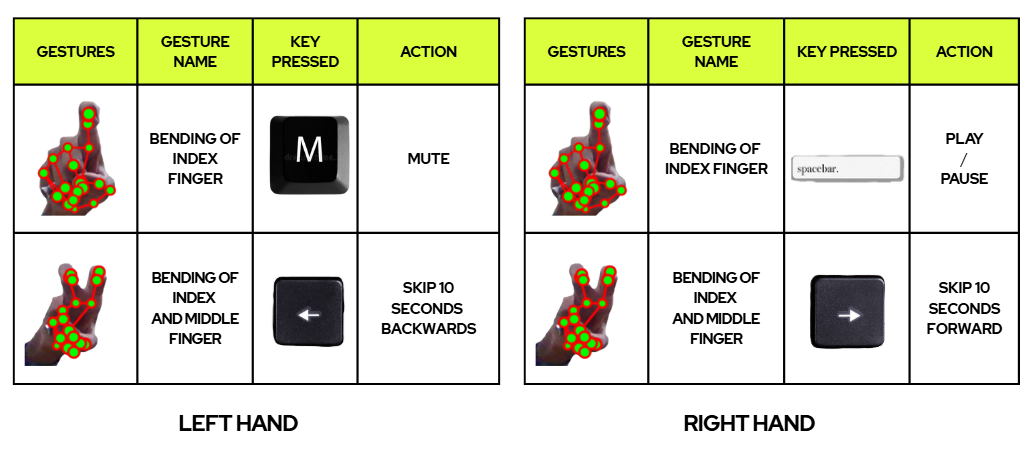
- Play/Pause with Open Palm
- Next/Previous with thumb gestures
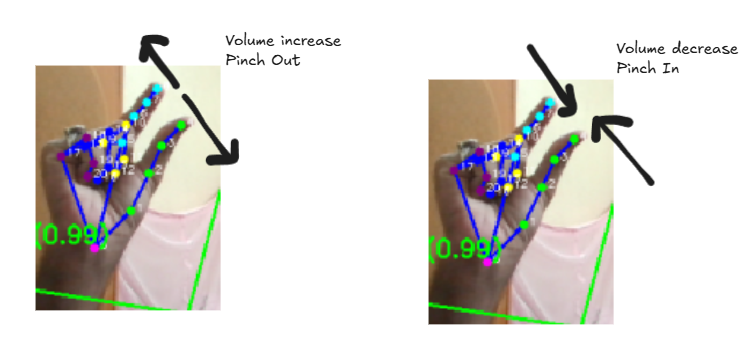
- Volume up/down via pinch spread or
VolumeController
Presentation (PPT) Mode
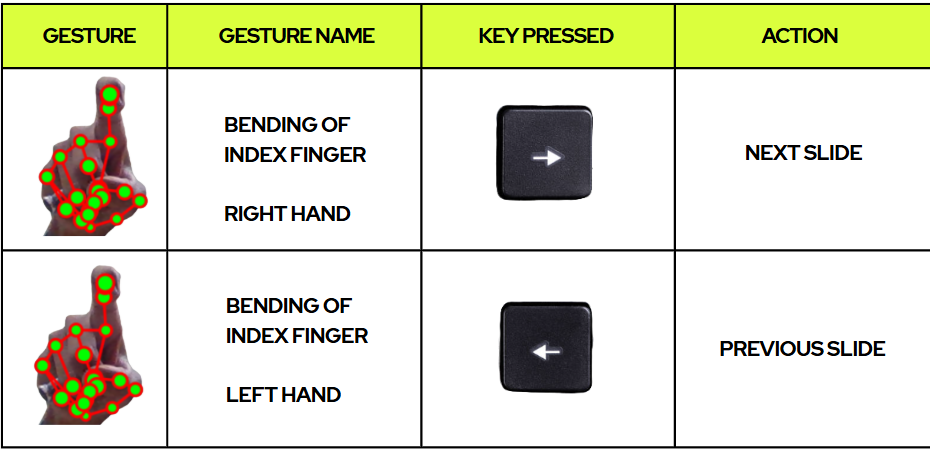
- Point Right/Left to navigate slides
- Open Palm to start/stop slideshow
Racing (Game) Mode
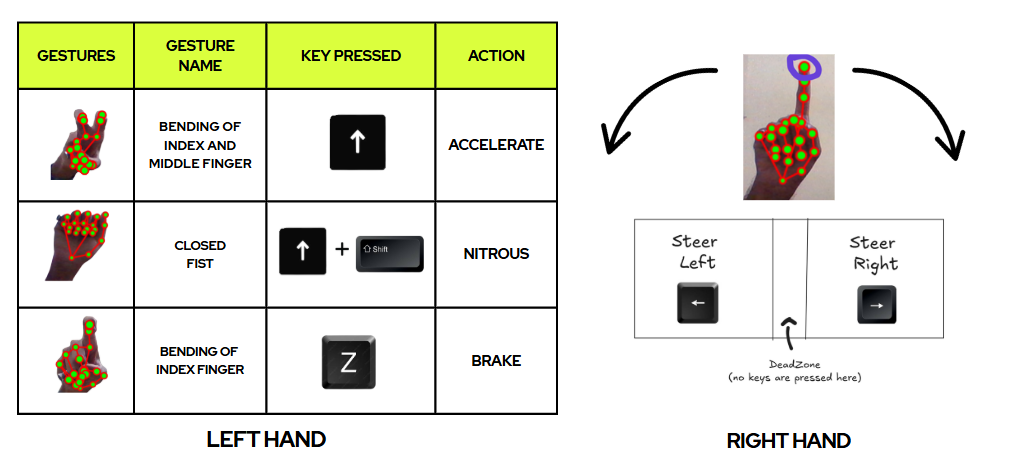
- Right-hand open palm steers inside a steering box (see Game Controller)
- Left-hand gestures trigger actions (e.g., nitro)
Volume Control Mode
How modes are implemented
application_modes.py:ApplicationModeManagerreadsself.app_modes.current_modeand routes gestures.game_controller.py: Optional, activated when game mode is enabled; maps right-hand position to steering and keys.volume_controller.py: Used in media/volume modes for system volume control with graceful fallback.
Switching modes
- The GUI exposes a mode switcher. Switching calls into the engine/
ApplicationModeManagerto updatecurrent_mode. - A cooldown may apply in code to prevent rapid toggling.