Performance and Metrics on Intel Devices
Benchmarks (Tiber AI PC)
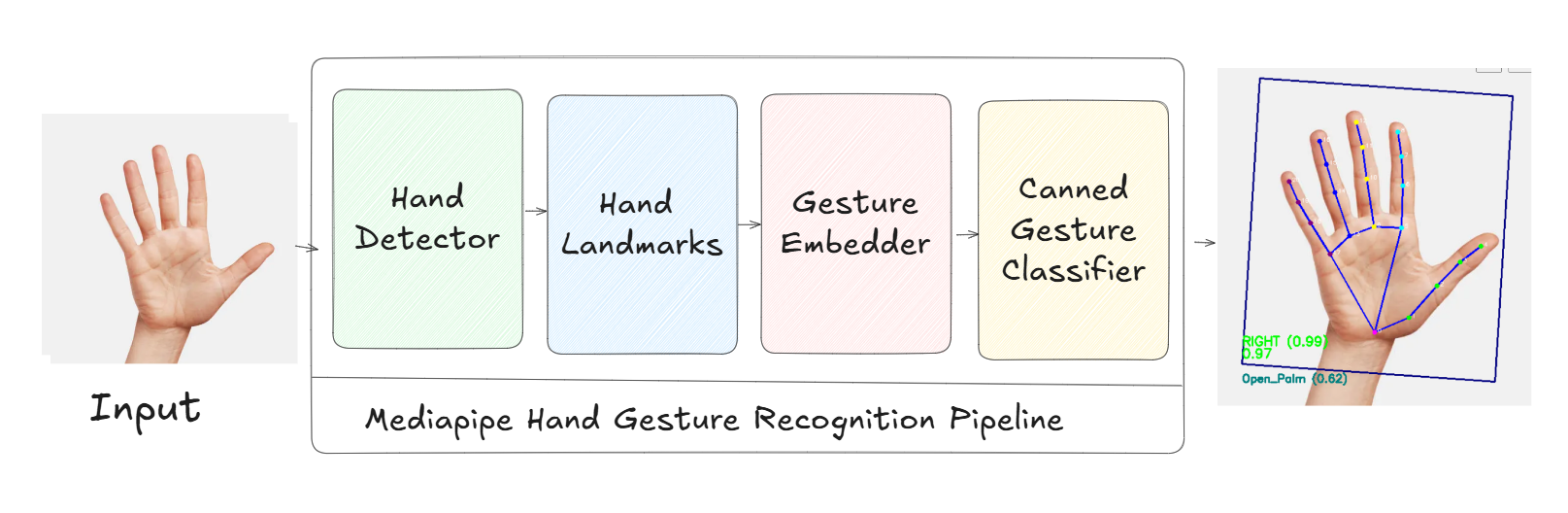
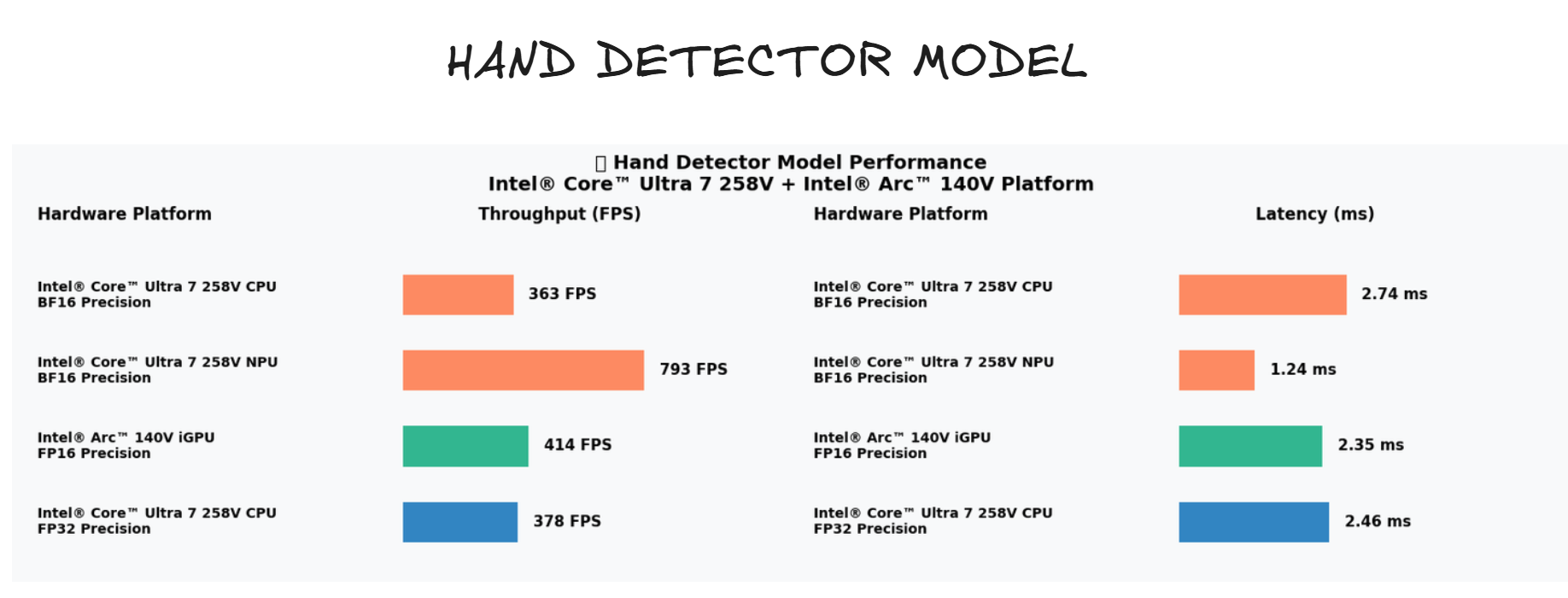
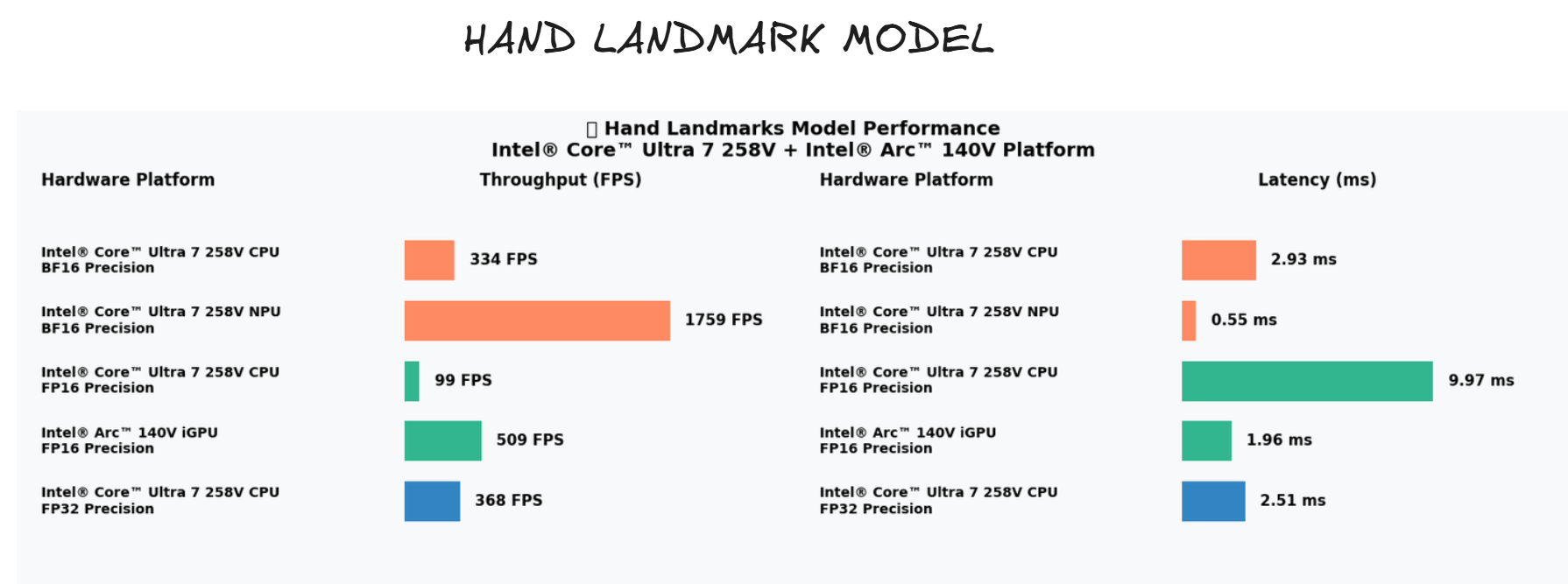
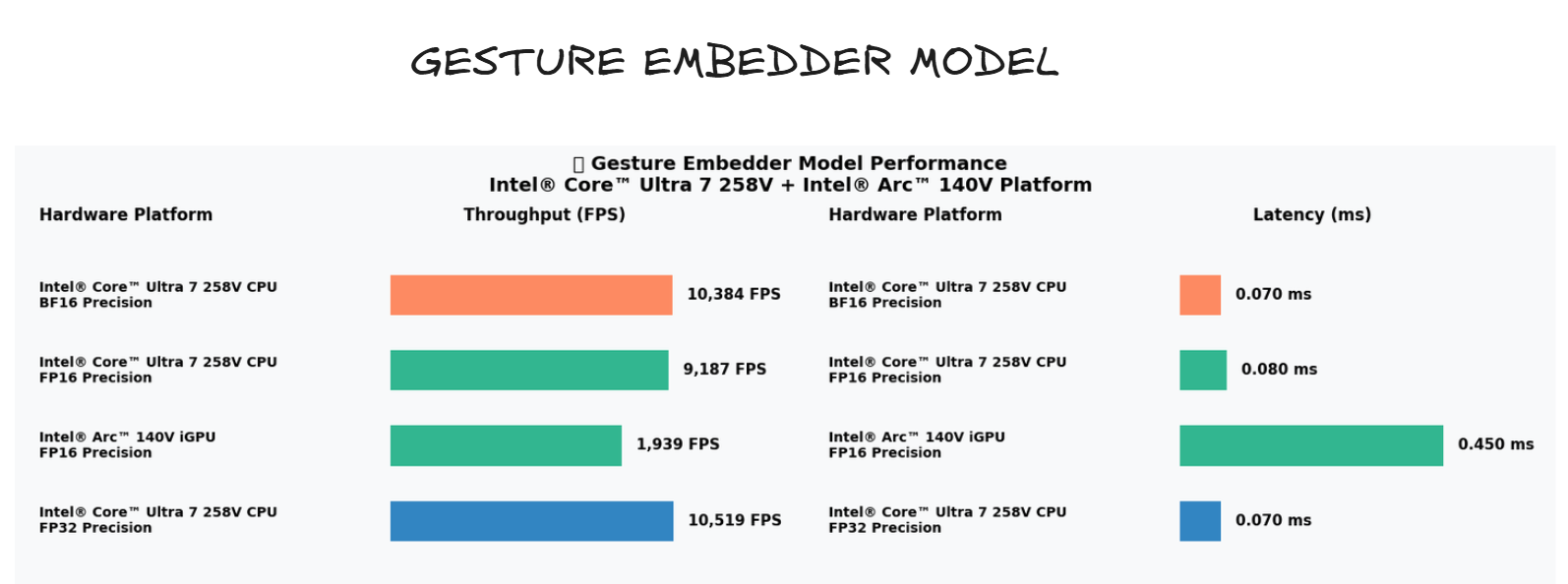
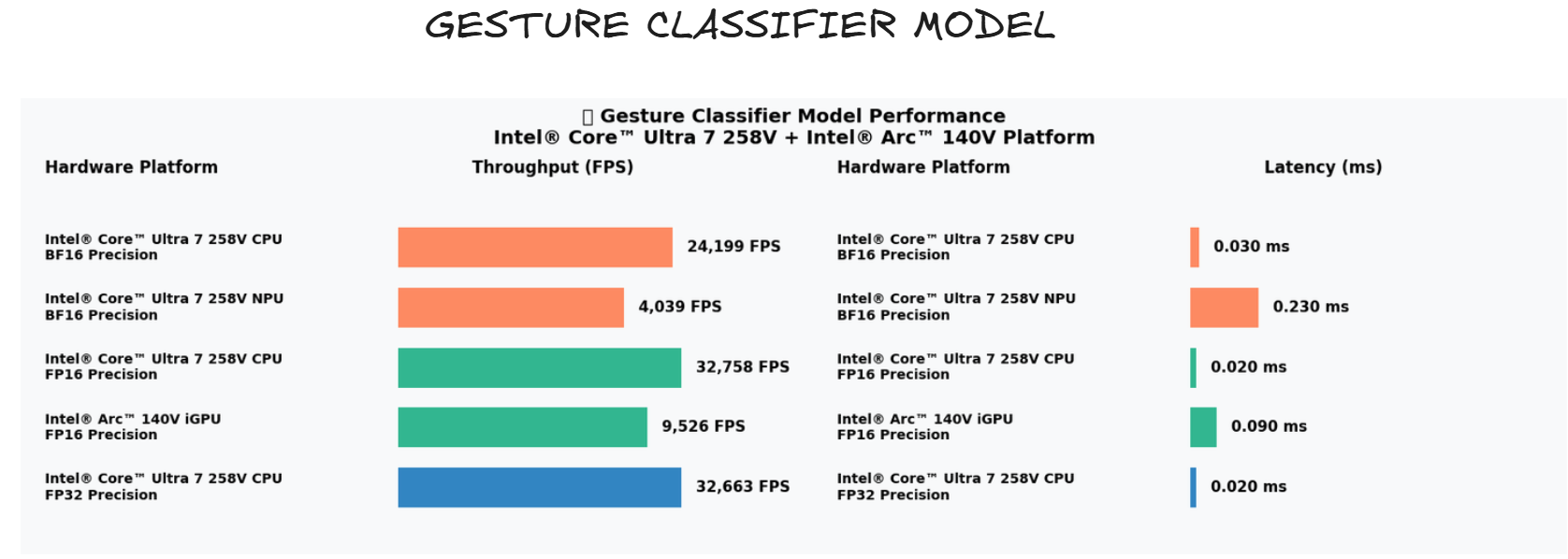
The following images show the model pipeline and component breakdowns used during benchmarking on the Tiber AI PC (Intel® Core™ Ultra 7 258V with Intel® Arc™ 140V GPU).
Test environment
- Machine: Tiber AI PC
- CPU: Intel® Core™ Ultra 7 258V
- GPU: Intel® Arc™ 140V
- OS: Windows (PowerShell available)
- OpenVINO: Tested with OpenVINO Toolkit (>= 2023.1 recommended)
How the models were tested
We used the OpenVINO Benchmark Tool to measure throughput (FPS), latency (ms), and memory usage per model component. The general approach:
- Convert/prepare each model into OpenVINO IR or OpenVINO's format (if not already converted).
- Run the benchmark_app tool with the desired device (CPU/GPU) and performance counters enabled.
- Record average latency and throughput, and compare CPU vs GPU runs.
Expected metrics and interpretation
- Latency: Lower is better; report median and 90th percentile when possible.
- Throughput (FPS): Higher is better; use this to determine real-time capability (e.g., 30 FPS target).
- Device comparison: GPU runs should show lower latency or higher throughput for heavy models (landmarks, embedder) while the CPU may suffice for smaller models (classifier).